
The included starters use the first two skill slots. Additional slots are supplied by separately installed full class plugins. Use F8 → HUD size / layout for the three independently sized panels.
Alt casting
With ForgeHUD Controls installed, hold left Alt and press 1–7. Slot seven is movement by default. Casting keeps the selected item slot unchanged, including when the skill number equals the held hotbar slot. Holding a key does not repeatedly cast.
Press F8 to open the binding screen. Select the modifier, a skill slot, or the controls-menu key, then press the replacement key. Escape cancels capture. Duplicate or unsupported keys are rejected. Changes save to the client's config/forgehud-controls.json; Reset defaults restores Alt, 1–7 and F8.
Bindings are keyboard keys. Mouse-button bindings are not included. The client config's showLabels option hides or shows the binding hint above the skill bar. Keys are inactive while chat, inventory or another screen is open, and casting is only sent to a server advertising ForgeHUD's channel.
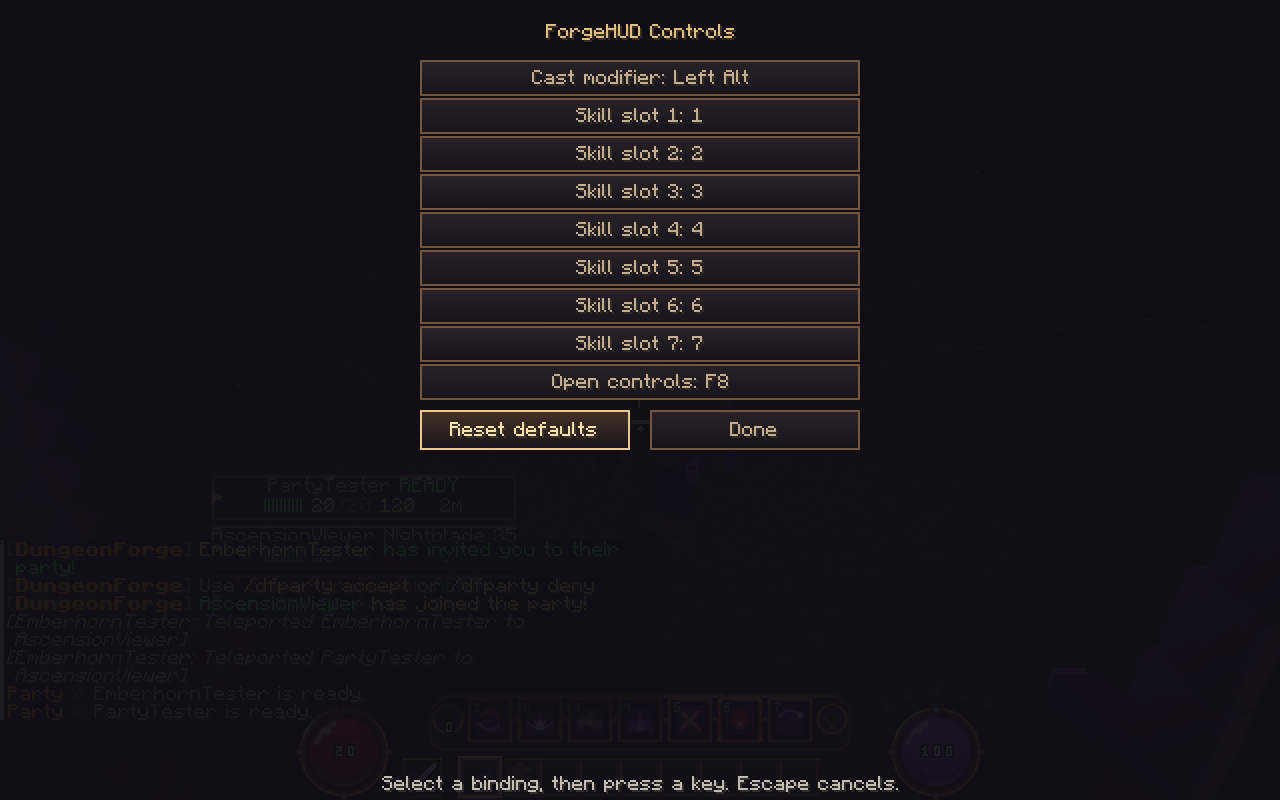
Change which skill a slot casts
Use /skills bind <1-7> <skill-id>, such as /skills bind 1 smoke for Nightblade. The engine swaps the two skills so you keep all seven. /skills lists the current bar and skill IDs. /skills reset restores the default ordering. These choices persist per player and class.
/skills cast <1-7> is a player-accessible command for the same normal cast path. Resources, cooldowns, spectator/death restrictions and server rate limits still apply. This is separate from the admin-only free-cast demonstration command.
Vanilla fallback
A resource pack or Paper plugin alone cannot read Alt. Without the companion, F (the Minecraft swap-hand binding) toggles skill mode; sneak + a hotbar key quick-casts; sneak + F swaps hands. Minecraft's Controls menu can rebind the underlying swap-hand, sneak and hotbar controls.
Vanilla hotbar events cannot detect pressing the already-selected item slot. The fallback therefore skips that slot and shows the available keys in the HUD. Companion casting has fixed skill positions 1–7 and does not have this limitation.
Equipment appearance
F8 > Equipment visuals controls articulated armor detail and equipment particle preferences. /armory effects on|off saves a particle preference on the server. The 1.3 client is required for the new worn geometry.