Party management GUI
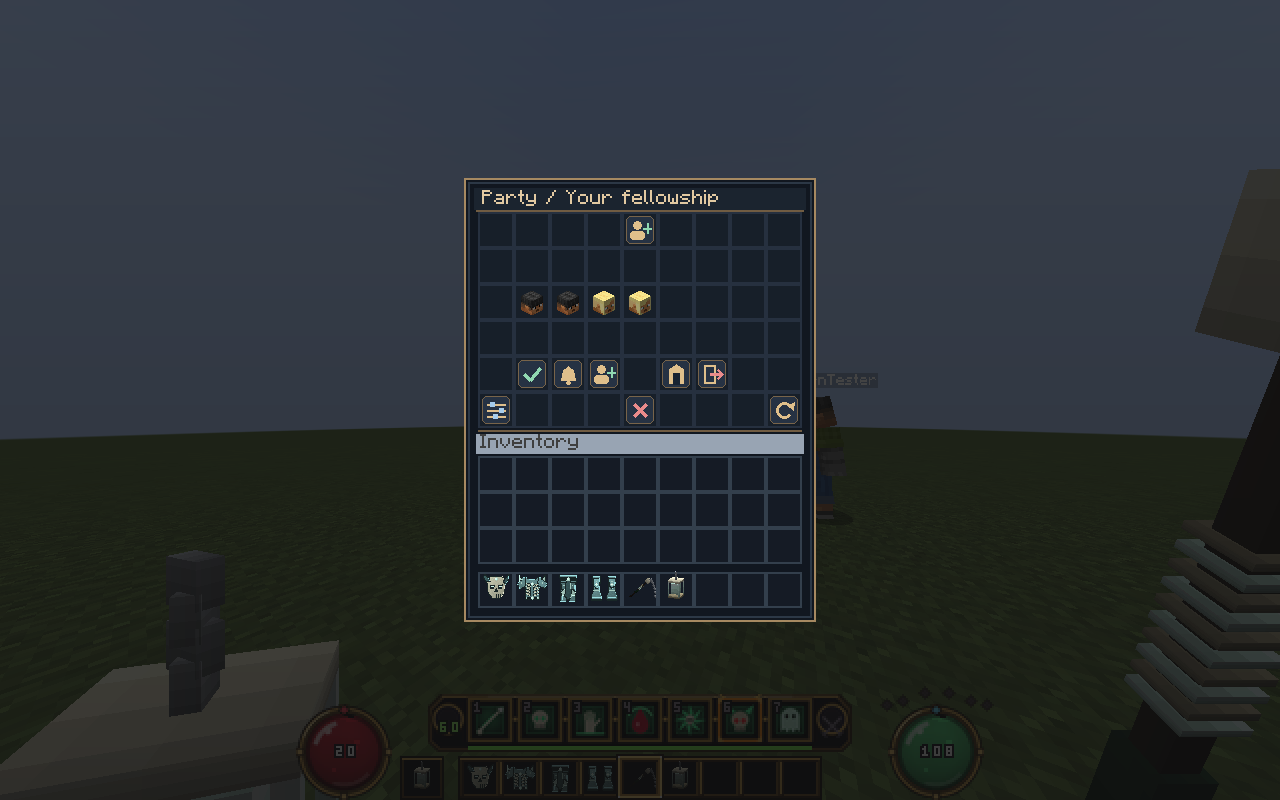
Run /fparty (or /fparty menu) to open your fellowship. The menu works on vanilla clients too. With the resource pack, it uses a quiet navy panel and clear custom action icons.
- Create a party, accept/decline an invite, or browse online players to invite.
- Click yourself to toggle ready; leaders can start a new ready check.
- Click another member to promote or remove them. Removal, leadership transfer, leaving and disbanding require an in-menu confirmation.
- Open the DungeonForge browser, refresh member information, and change HUD visibility or whether your own row appears.
- Members cannot perform leader actions. The server checks current membership and permissions on each action; a stale confirmation cannot change a different party.
Clean party HUD
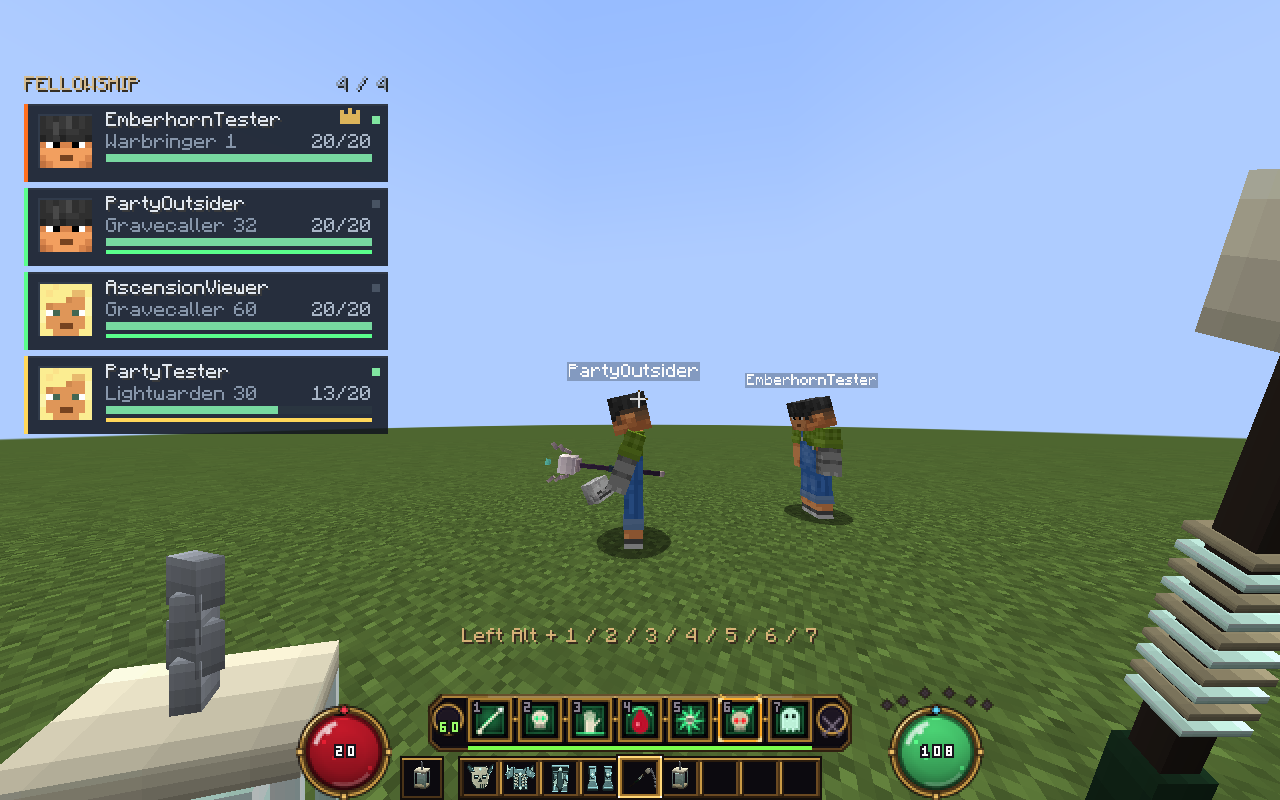
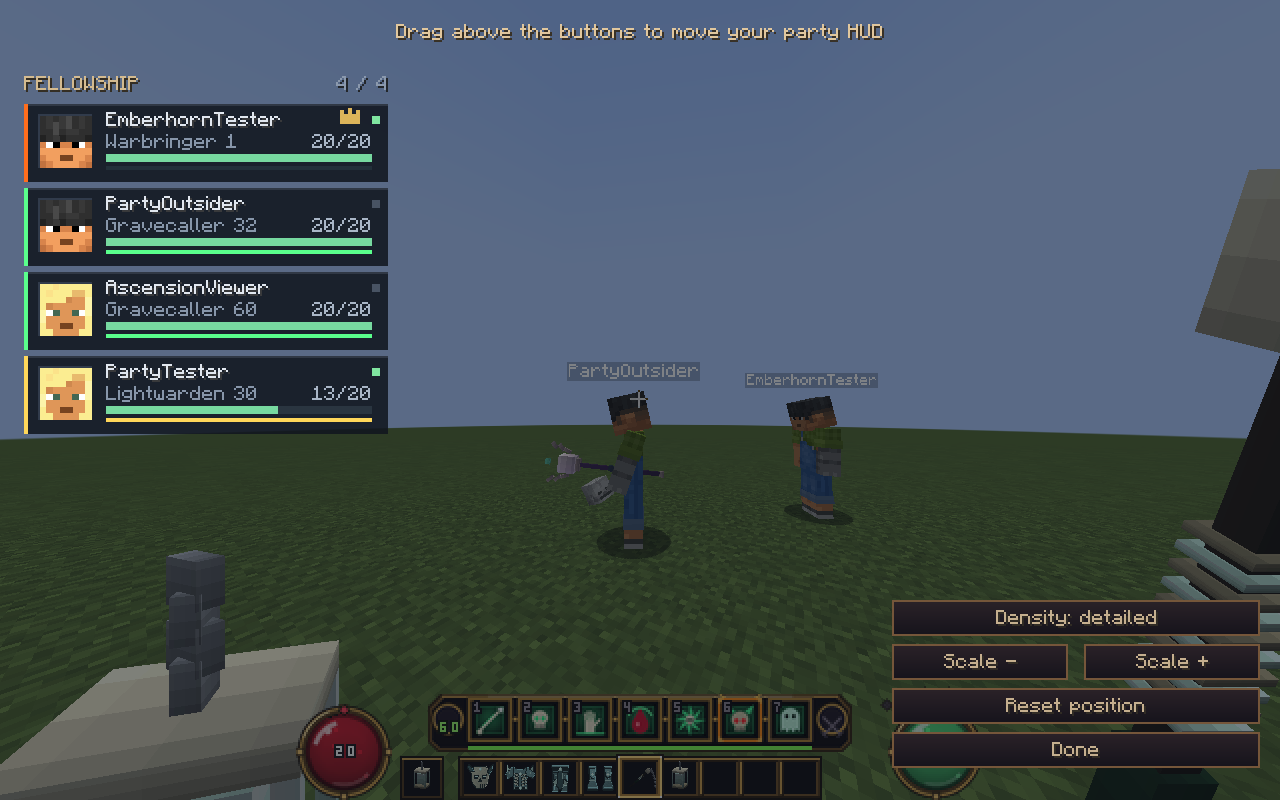
The 1.2.0 Fabric companion shows compact portraits, class-colored edges, health bars, thin resource bars, class/level labels, a leader crown and ready indicators. Offline and downed states are explicit. Health transitions are smoothed; stale/disconnected data clears automatically. Open F8 → Party layout to drag the panel, change scale, or switch between detailed and compact density. Settings persist in the client configuration.
Without the companion, the resource pack supplies simpler slim health frames. Without the pack, a vanilla boss-bar fallback is used. The full member menu shows distance and other-world status. HUD visibility and show-self preferences persist on the server; ready status remains temporary. /hud also hides the party HUD.
Party commands
/fparty is the reliable command. /party is an alias that another plugin may also claim.
| Command | Action |
|---|---|
/fparty |
Open the party management GUI |
/fparty check |
Leader starts a fresh ready check |
/fparty create |
Create a party |
/fparty invite <player> |
Leader invites an online player |
/fparty accept / deny |
Accept or decline your invitation |
/fparty list |
Show the current party |
/fparty leave |
Leave; standalone leadership passes to another member |
/fparty kick <player> |
Leader removes a member |
/fparty promote <player> |
Transfer leadership |
/fparty disband |
Leader closes the party |
/fparty chat <text> |
Send a message to members only |
/fparty ready |
Toggle your ready status |
/fparty hud |
Hide/show your party frames |
/fparty join [dungeon] |
Leader opens DungeonForge's browser or joins a named dungeon |
One party across both plugins
When DungeonForge is installed and integrations.dungeonforge.enabled is true, ForgeHUD reads DungeonForge's existing party manager. Membership commands execute DungeonForge's dfparty command with the actual player's permissions. /dfparty changes also appear in the HUD. /fparty join delegates to dfjoin; dungeon publication, size, world and entry checks stay in DungeonForge.
Only a leader can use ForgeHUD's party-entry shortcut. Everyone must be online, and optionally everyone must mark ready. Party chat and ready status are provided by ForgeHUD. Membership, invitation lifetime, size and disconnect behavior come from DungeonForge in this mode.
The bridge fails closed if DungeonForge becomes unavailable: it does not create a second live party behind its back. Restart after adding or removing the plugin. Existing standalone parties are retained in parties.yml but are inactive while DungeonForge is the provider; they are not automatically imported into DungeonForge.
Standalone behavior
Without DungeonForge, ForgeHUD stores parties in parties.yml. Membership and leadership survive reconnects and restarts. Invitations expire (60 seconds by default) and are not persisted. Default party size is four, configurable from two to eight. Offline members remain members and can be kicked by name. Ready flags reset on logout and membership changes; HUD visibility and show-self preferences persist; ready state is temporary.
Friendly fire is off by default for player attacks, projectiles and owned minions. Class healing targets the caster and their party by default. party.friendly-fire and party.healing-party-only configure these policies; the separate pvp setting still controls class skill damage to players.
In-game screenshots